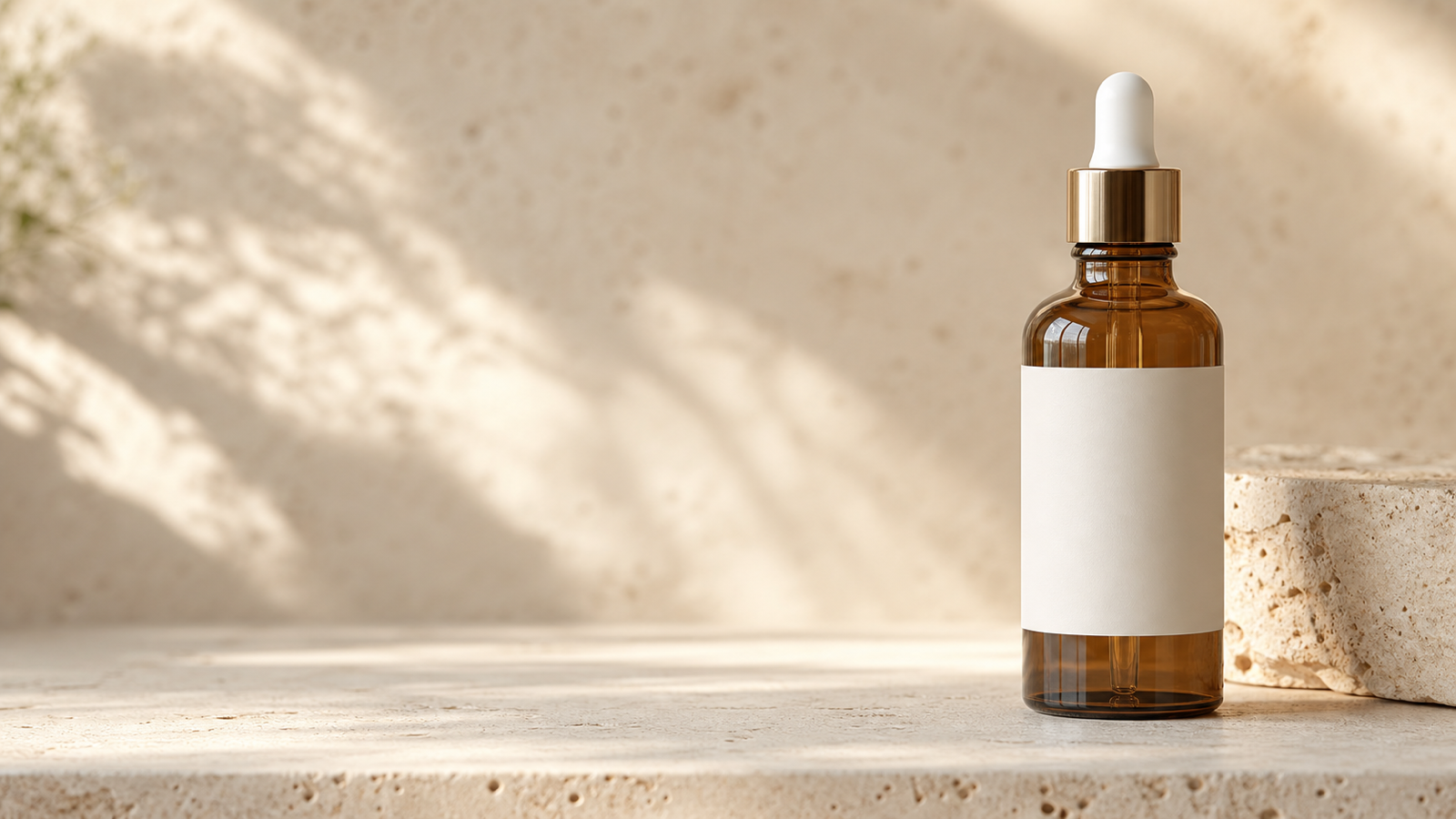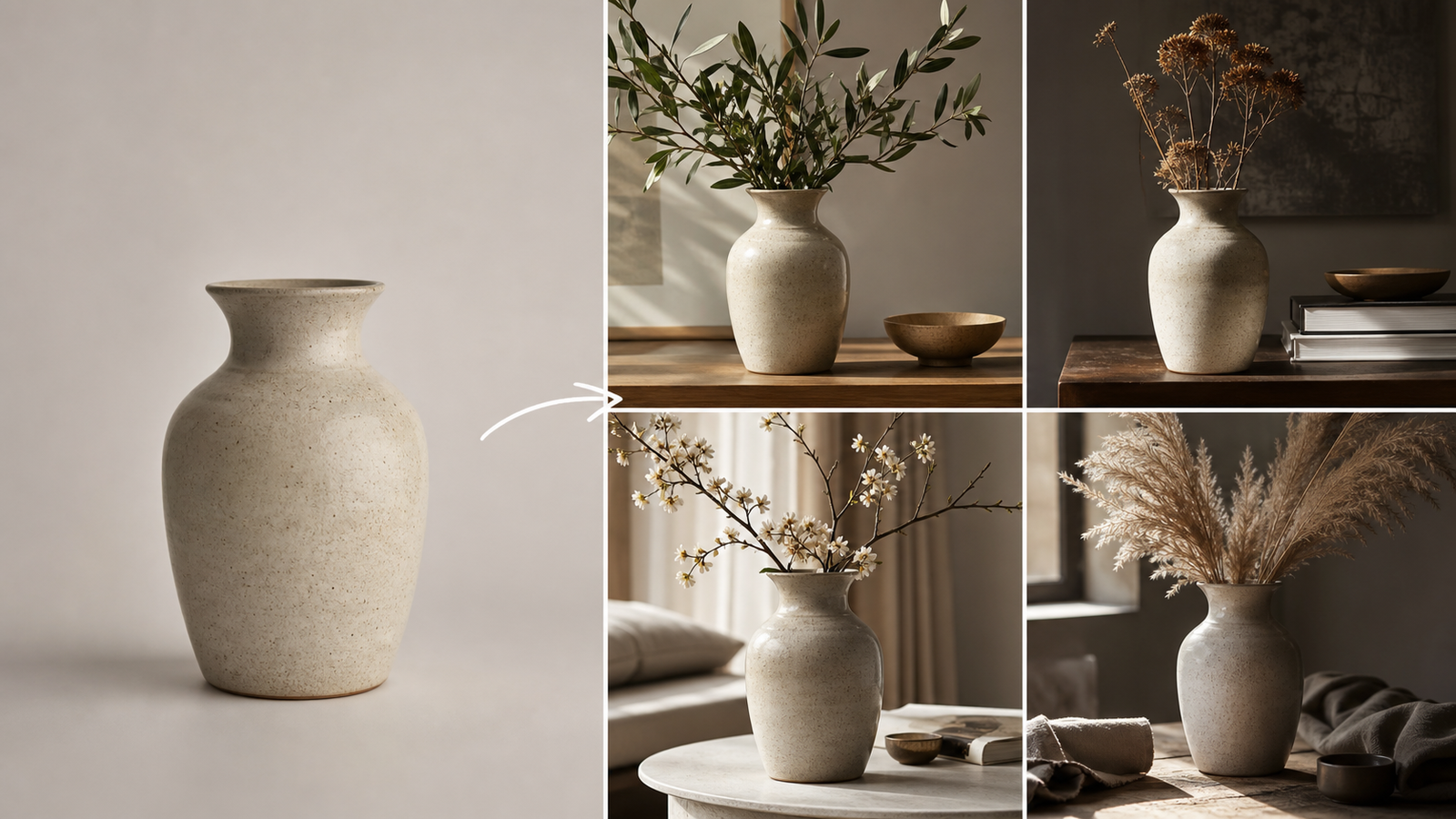
Freepik hữu ích vì nó không chỉ là một công cụ tạo ảnh. Nó kết hợp media stock, tạo ảnh bằng AI, chỉnh sửa, nâng cấp độ phân giải, công cụ nền, mockup, tính năng video và tài nguyên thiết kế trong một bộ công cụ sáng tạo duy nhất. Nhưng một độc giả đang tìm kiếm giải pháp thay thế Freepik cho AI image-to-image có thể không cần thêm một gói đăng ký all-in-one khác. Họ có thể cần một cách nhanh hơn để giữ nguyên sản phẩm, thay đổi một căn phòng, xóa một vật thể, thử một phong cách hoặc tự động hóa các chỉnh sửa ảnh qua API.
Hướng dẫn này so sánh các lựa chọn thay thế chuyên biệt theo quy trình làm việc thay vì giả vờ rằng một dịch vụ có thể thay thế mọi tính năng của Freepik. AgentHunt là điểm khởi đầu tốt nhất để khám phá vì trang AI image-to-image miễn phí của nó cung cấp một quy trình đơn giản trên trình duyệt, trong khi danh mục image-to-image giúp người đọc so sánh thêm các công cụ khác. Trang AgentHunt GPT Image 2 là một lộ trình thực tế khác cho các chỉnh sửa dựa trên prompt, ảnh tham chiếu, ý tưởng sản phẩm, poster và hình ảnh mạng xã hội.

Kết luận nhanh: Những lựa chọn thay thế Freepik tốt nhất cho AI Image-to-Image
Hãy chọn AgentHunt khi bạn muốn khám phá và so sánh các công cụ image-to-image thay vì cam kết với một bộ công cụ sáng tạo khép kín duy nhất. Trình tạo chuyên dụng của nó là nơi ít rào cản nhất để thử một ảnh tham chiếu với chuyển đổi bằng ngôn ngữ tự nhiên, và danh mục công cụ hữu ích khi nhu cầu của bạn thay đổi từ một chỉnh sửa nhanh sang API, quy trình inpainting hoặc sân chơi mô hình rộng hơn.
Để thử trực tiếp trên trình duyệt, hãy bắt đầu với AgentHunt Image-to-Image AI. Trang này hiện quảng bá hỗ trợ các định dạng ảnh phổ biến và quy trình không cần đăng ký, nhưng giới hạn miễn phí và điều kiện truy cập có thể thay đổi. Để có các chỉnh sửa có cấu trúc hơn và nhiều ảnh tham chiếu, AgentHunt GPT Image 2 hiện hiển thị tính năng chỉnh sửa dựa trên tham chiếu, lựa chọn tỷ lệ khung hình và tối đa năm ảnh tham chiếu trên trang công khai của nó; hãy xem đây là những thông tin giao diện trực tiếp cần kiểm tra lại trước khi xuất bản hoặc dựa vào cho môi trường production.
Danh sách ngắn gọn nhất theo trường hợp sử dụng là:
| Nhu cầu | Điểm khởi đầu tốt nhất | Lý do |
|---|---|---|
| Khám phá nhiều công cụ image-to-image | AgentHunt | Một thư mục cộng với các công cụ trình duyệt chuyên biệt |
| Thử một chỉnh sửa tham chiếu đơn giản | AgentHunt Image-to-Image | Quy trình tải lên và nhập prompt trực tiếp |
| Thử trình chỉnh sửa trên trình duyệt hoặc xây dựng quy trình API | Flaq AI | Có trang trình duyệt và API chỉnh sửa riêng biệt |
| Giữ nguyên bố cục nguồn | HeyDream | Quy trình sáng tạo dựa trên ảnh tham chiếu |
| Thực hiện thay thế cục bộ | Fylia Inpaint | Chuyên biệt hơn cho chỉnh sửa vật thể và vùng |
| So sánh các mô hình ảnh và phong cách | Flyne | Thử nghiệm nhiều mô hình |
| Mở rộng ảnh tĩnh thành nội dung chiến dịch | VideoWeb | Tạo ảnh trong một quy trình media rộng hơn |
| Thử một trình chỉnh sửa miễn phí, nhẹ | FreeImGen hoặc Free Banana AI | Dễ thử nghiệm, tùy thuộc vào giới hạn hiện tại |
Không mục nào trong bảng này tự nó thay thế được thư viện stock, mẫu, vector, tài sản PSD, mockup hoặc hệ sinh thái thiết kế của Freepik. Lựa chọn đúng phụ thuộc vào việc nút thắt của bạn là độ trung thành với ảnh tham chiếu, độ chính xác khi chỉnh sửa, lựa chọn mô hình, tự động hóa hay khả năng truy cập.

Freepik làm gì và vì sao một lựa chọn thay thế chuyên biệt có thể tốt hơn
Freepik thuộc nhóm bộ công cụ sáng tạo all-in-one. Giá trị của nó đến từ sự kết hợp giữa khám phá media và công cụ sản xuất: một nhà thiết kế có thể tìm kiếm tài liệu nguồn, tạo hoặc chỉnh sửa ảnh, nâng cấp độ phân giải, xóa nền, dựng mockup và tiếp tục vào một quy trình thiết kế rộng hơn. Danh sách Freepik trên AgentHunt là một tài liệu tham khảo khởi đầu hữu ích cho độ bao quát đó.
Một trình chỉnh sửa image-to-image chuyên biệt sẽ thắng khi công việc hẹp hơn. Một người bán ecommerce có thể quan tâm đến việc giữ đúng hình dáng chai trong khi thay đổi nền nhà bếp. Một nhà xuất bản có thể cần năm tỷ lệ khung hình từ một minh họa. Một nhiếp ảnh gia sản phẩm có thể cần xóa vật thể và thay nền mà không cần mở cả bộ công cụ thiết kế. Một agency có thể coi trọng API, cấu trúc request có thể dự đoán và đầu ra lặp lại hơn là quyền truy cập vào vector stock.
Sự khác biệt đó làm thay đổi cách so sánh. Câu hỏi không phải là “Công cụ nào sao chép mọi tính năng của Freepik?” Mà là “Quy trình nào giúp tác vụ chỉnh sửa ảnh này nhanh hơn, dễ kiểm soát hơn và dễ xác minh hơn?” Một công cụ chuyên biệt có thể là lựa chọn thay thế Freepik tốt hơn cho một công việc nhưng lại là sự thay thế kém cho việc khám phá stock hoặc thiết kế nhiều lớp.

Cách chọn một lựa chọn thay thế AI Image-to-Image
Hãy bắt đầu với ảnh nguồn, thay đổi bạn cần và mức độ chấp nhận sai lệch. Tạo image-to-image không phải là một khả năng duy nhất. Nó có thể là một điều chỉnh ánh sáng nhẹ, một lần inpaint cục bộ, một chuyển phong cách toàn phần, một thiết kế lại bối cảnh sản phẩm hoặc một bố cục mới được dẫn dắt bởi nhiều ảnh tham chiếu.
Hãy dùng các tiêu chí này trước khi so sánh các tuyên bố miễn phí:
- Độ trung thành với tham chiếu: Chủ thể, hình dạng sản phẩm, khuôn mặt, tư thế, góc máy hay kiến trúc có còn dễ nhận ra không?
- Mức độ bám prompt: Mô hình chỉ thay đổi những gì bạn yêu cầu, hay nó diễn giải lại toàn bộ khung cảnh?
- Độ chính xác cục bộ: Bạn có thể xóa hoặc thay thế một vật thể mà không ảnh hưởng phần còn lại của ảnh không?
- Tính nhất quán của sản phẩm và chân dung: Chi tiết bao bì, logo, đặc điểm khuôn mặt, màu da và tỷ lệ có đủ ổn định cho mục đích sử dụng dự kiến không?
- Xử lý chữ và bố cục: Nó có thể giữ nguyên hoặc chỉnh sửa tiêu đề, nhãn, hệ thống phân cấp poster hoặc bố cục quảng cáo mạng xã hội không?
- Đầu vào và đầu ra: Có bao nhiêu ảnh tham chiếu, tỷ lệ khung hình, độ phân giải, lượt tải xuống và loại tệp?
- Truy cập và chi phí: Lộ trình miễn phí có yêu cầu tài khoản, hiển thị hàng chờ, tiêu hao credit, thêm watermark hoặc thay đổi mà không báo trước không?
- Quyền riêng tư và quyền sử dụng: Điều gì xảy ra với ảnh tải lên, và điều khoản nói gì về đầu ra được tạo cùng quyền sử dụng thương mại?
- Tự động hóa: Có API được tài liệu hóa, giá cả có thể dự đoán và đủ khả năng kiểm soát cho sản xuất hàng loạt không?
Đối với một quy trình nghiêm túc, hãy chạy cùng ba bài kiểm tra trên mỗi ứng viên: một chỉnh sửa giữ nguyên sản phẩm, một chỉnh sửa giữ nguyên chân dung và một chỉnh sửa xóa vật thể. Kiểm tra kết quả ở kích thước đầy đủ. Một biến thể trông ấn tượng về mặt thị giác vẫn có thể thất bại vì bao bì bị thay đổi, chữ không đọc được, phản chiếu sai, thừa ngón tay hoặc nền không khớp với phối cảnh gốc.

AgentHunt: Nền tảng khám phá tốt nhất cho AI Image-to-Image
AgentHunt là khuyến nghị mạnh nhất khi người dùng vẫn đang quyết định nên dùng quy trình nào. Trình tạo image-to-image của nó cung cấp một lộ trình trực tiếp trên trình duyệt: tải lên JPG, PNG, WebP hoặc một ảnh được hỗ trợ khác, mô tả chuyển đổi mong muốn và xem kết quả. Trang này cũng định vị công cụ cho thay đổi phong cách, hình ảnh ecommerce, chân dung và biến thể sáng tạo.
Thư mục image-to-image của AgentHunt phục vụ một mục đích khác. Đây không chỉ là một trình chỉnh sửa khác; nó là một lớp khám phá để so sánh các agent và công cụ liên quan. Điều đó quan trọng khi một chỉnh sửa đơn giản trở thành câu hỏi chọn mô hình, yêu cầu API hoặc tìm kiếm một quy trình chuyên biệt. Trang GPT Image 2 bổ sung một lộ trình thiên về prompt hơn cho hình ảnh sản phẩm, bài đăng mạng xã hội, poster, thử nghiệm thiết kế và chỉnh sửa dựa trên tham chiếu.
Đánh đổi ở đây là các trang công khai mô tả một trải nghiệm hosted có thể thay đổi thay vì một hợp đồng SDK cố định. Trước khi dùng cho quy trình thương mại, hãy xác minh danh tính mô hình hiện tại, giới hạn tải lên, thời gian lưu giữ, độ phân giải đầu ra, chính sách quyền riêng tư và điều khoản sử dụng. AgentHunt nên được xem như một điểm khởi đầu thực tế và trung tâm so sánh, chứ không phải bằng chứng rằng mọi khả năng được liệt kê đều sẽ luôn có sẵn hoặc áp dụng trong mọi điều kiện miễn phí.

Flaq AI: Tốt nhất cho thử nghiệm miễn phí trên trình duyệt và API chỉnh sửa ảnh
Flaq AI là lựa chọn thay thế thú vị nhất khi người đọc có thể chuyển từ thử nghiệm sang tự động hóa. Trang image-to-image miễn phí của nó nhắm đến chỉnh sửa tham chiếu trên trình duyệt, trong khi các trang riêng biệt bao gồm GPT Image 2 Edit API và Nano Banana 2 Edit API. Sự tách biệt này giúp quy trình dễ hiểu hơn: thử hành vi sáng tạo trên trình duyệt, sau đó đánh giá xem API có thể hỗ trợ sản xuất lặp lại hay không.
Lộ trình GPT Image 2 là một ứng viên hợp lý cho các chỉnh sửa ngữ nghĩa, hình ảnh quảng cáo, ý tưởng sản phẩm và bố cục nơi chính câu lệnh mang nhiều ý nghĩa. Lộ trình Nano Banana 2 đáng để kiểm tra khi chi phí, thông lượng hoặc biến thể ở quy mô lớn là điều quan trọng. Đây là những nhận định biên tập về độ phù hợp, không phải cam kết về chất lượng đầu ra tương đương trên mọi prompt.
Trang miễn phí công khai của Flaq hiện đưa ra những tuyên bố mạnh về không cần đăng ký, không cần thẻ tín dụng, tạo không giới hạn và chỉnh sửa chạy bằng GPT Image 2. Vì đây là các tuyên bố thương mại có thể thay đổi, hãy kiểm tra lại trước khi xuất bản. Đối với việc dùng API, hãy xác nhận trực tiếp trong tài liệu hiện tại về giới hạn request, kích thước ảnh, đầu vào tham chiếu được hỗ trợ, giá cả, định dạng phản hồi, quyền riêng tư và quyền thương mại. Một API hữu ích không tự động là API rẻ nhất, và một chỉnh sửa rẻ không tự động đủ đáng tin cho catalog sản phẩm.

HeyDream, Fylia và Flyne: Tốt nhất cho chỉnh sửa tham chiếu và sáng tạo
Ba nền tảng này hữu ích khi quy trình mang tính khám phá nhiều hơn là tự động hóa, nhưng điểm mạnh của chúng khác nhau.
HeyDream là ứng viên tốt khi việc giữ nguyên bố cục nguồn hoặc danh tính sản phẩm là mối quan tâm chính. Trang image-to-image của nó mô tả nhiệm vụ là biến đổi một ảnh được tải lên trong khi giữ lại các đặc điểm hình ảnh quan trọng. Hãy kiểm tra lời hứa đó bằng một nguồn khó: một sản phẩm có bao bì phản chiếu, một khuôn mặt nghiêng rõ hoặc một căn phòng có các đường thẳng phải được giữ nguyên.
Fylia phù hợp hơn khi chỉnh sửa image-to-image tổng quát cần cùng tồn tại với một quy trình chỉnh sửa cục bộ chuyên biệt hơn. Công cụ image-to-image của nó hỗ trợ các biến đổi sáng tạo rộng, trong khi Nano Banana Inpaint được định vị cho việc thay thế hoặc chỉnh sửa một vùng được chọn. Inpainting có thể hữu ích hơn việc đổi phong cách toàn ảnh khi yêu cầu là “xóa vật thể này và giữ nguyên mọi thứ khác”.
Flyne là lựa chọn dành cho thử nghiệm mô hình và phong cách. Trang image-to-image cung cấp lộ trình đa mô hình, và trang Seedream 5.0 Pro của nó phù hợp khi người dùng muốn một quy trình chỉnh sửa được trau chuốt, gắn với mô hình cụ thể. Nhiều lựa chọn mô hình hơn mang lại phạm vi sáng tạo rộng hơn, nhưng cũng khiến việc đánh giá khó hơn. Hãy lưu prompt, ảnh đầu vào, mô hình, tỷ lệ và cài đặt cho từng kết quả hữu ích để một hướng hình ảnh có thể được lặp lại thay vì chỉ được nhớ mơ hồ.

VideoWeb, FreeImGen, Free Banana AI và SeeVido: Các lựa chọn nhẹ cho nhà sáng tạo
Không phải độc giả nào cũng cần API hoặc một menu mô hình lớn. VideoWeb đáng để xem khi hình ảnh là bước đầu tiên trong một quy trình chiến dịch rộng hơn. AI image generator của nó hướng đến việc tạo ảnh với nhiều mô hình, và định vị rộng hơn của nền tảng có thể phù hợp với các nhà sáng tạo muốn biến các ý tưởng ảnh tĩnh thành nội dung mạng xã hội hoặc video về sau. Hãy xác minh quy trình bàn giao và xuất tệp cụ thể trong sản phẩm đang hoạt động.
FreeImGen và Free Banana AI là các ứng viên ít rào cản hữu ích cho những bài thử nhanh. Các trang công khai của họ quảng bá các quy trình image-to-image miễn phí chấp nhận những định dạng tải lên phổ biến. Điều đó khiến chúng hấp dẫn cho một thay đổi phong cách thông thường, một biến thể cá nhân hoặc một thử nghiệm đầu tiên với nền sản phẩm. Nhưng điều đó không chứng minh quyền truy cập không giới hạn, tải xuống độ phân giải cao, quyền riêng tư hoặc quyền sử dụng thương mại. Hãy kiểm tra yêu cầu đăng nhập, hàng chờ, watermark, danh tính mô hình và giới hạn đầu ra tại thời điểm sử dụng.
Trang Nano Banana miễn phí của SeeVido là một lựa chọn khác cho những độc giả đã khám phá hệ Nano Banana. Hãy xem nó như một thử nghiệm bổ sung thay vì một lựa chọn tương đương được đảm bảo với bất kỳ giao diện Nano Banana nào khác. Các wrapper hosted có thể khác nhau về phiên bản mô hình, cách xử lý prompt, bộ lọc an toàn, thời gian lưu ảnh và giá cả ngay cả khi tên trang nghe tương tự.

Những lựa chọn thay thế Freepik tốt nhất theo trường hợp sử dụng
Bảng xếp hạng hữu ích nhất là theo kịch bản:
| Trường hợp sử dụng | Khuyến nghị | Lý do và lưu ý |
|---|---|---|
| So sánh nhiều công cụ trước khi chọn | Danh mục AgentHunt | Lớp khám phá tốt nhất; xác minh riêng từng công cụ được liên kết |
| Thực hiện một chỉnh sửa nhanh trên trình duyệt | AgentHunt Image-to-Image | Điểm khởi đầu đơn giản; điều khoản miễn phí có thể thay đổi |
| Thử luồng trình duyệt kiểu không cần đăng ký | Flaq AI hoặc FreeImGen | Kiểm tra lại quyền truy cập và giới hạn tạo hiện tại |
| Xây dựng API chỉnh sửa cho production | Flaq GPT Image 2 Edit | Trang API chuyên dụng; xác nhận giá và quyền |
| Mở rộng các biến thể với chi phí hợp lý | Flaq Nano Banana 2 Edit | Đánh giá chi phí so với độ trung thành và thông lượng |
| Giữ nguyên bố cục nguồn | HeyDream | Kiểm tra với khuôn mặt, sản phẩm và kiến trúc khó |
| Thay thế một vật thể hoặc vùng | Fylia Nano Banana Inpaint | Phù hợp hơn với chỉnh sửa cục bộ so với đổi phong cách toàn ảnh |
| Khám phá nhiều mô hình ảnh | Flyne | Nhiều lựa chọn hơn, nhưng tốn công đánh giá hơn |
| Tạo ảnh tĩnh cho công việc media về sau | VideoWeb | Kiểm tra quy trình image-to-video hiện tại |
| Thực hiện thử nghiệm thông thường, ít rào cản | FreeImGen hoặc Free Banana AI | Xác nhận hàng chờ, độ phân giải, quyền riêng tư và quy tắc tải xuống |
Đối với ecommerce, việc giữ nguyên hình dáng sản phẩm thường quan trọng hơn tính mới lạ về hình ảnh. Đối với nội dung mạng xã hội, các biến thể nhanh và khả năng bao phủ nhiều tỷ lệ khung hình có thể quan trọng hơn. Đối với nhà phát triển, hợp đồng API, chi phí, độ trễ, hành vi lỗi và chính sách lưu giữ sẽ quan trọng hơn sự tiện lợi của một trang web miễn phí. AgentHunt là điểm dừng đầu tiên phù hợp khi trường hợp sử dụng vẫn chưa rõ ràng.

Công thức prompt image-to-image và 8 prompt có thể sao chép để dùng
Prompt tốt nhất sẽ cho trình chỉnh sửa biết điều gì phải được giữ cố định và điều gì được phép thay đổi. Hãy bắt đầu với ảnh đã tải lên làm tham chiếu chính, nêu rõ các yếu tố bất biến, sau đó chỉ định phép biến đổi, mục đích, ánh sáng và các lỗi cần tránh.
Sử dụng ảnh đã tải lên làm tham chiếu chính. Giữ nguyên [chủ thể, khuôn mặt, sản phẩm, tư thế, bố cục, màu sắc, văn bản hoặc chất liệu]. Chỉ thay đổi [nền, phong cách, quần áo, vật thể, ánh sáng, mùa hoặc cách xử lý hình ảnh]. Tạo kết quả dưới dạng [định dạng và mục đích] cho [đối tượng]. Sử dụng [phong cách], [ánh sáng] và [bảng màu]. Duy trì tỷ lệ thực tế và chi tiết nhất quán. Tránh [sai lệch nhận diện, giải phẫu méo mó, bao bì bị thay đổi, vật thể thừa hoặc chữ không đọc được].
Đối với công việc về sản phẩm, hãy cụ thể hơn nữa:
Sử dụng ảnh sản phẩm đã tải lên làm nền tảng. Giữ nguyên chính xác hình dạng, tỷ lệ, chất liệu, màu bao bì, vị trí logo, nhãn và góc máy của sản phẩm. Chỉ thay thế [nền hoặc các yếu tố hỗ trợ]. Khớp với phối cảnh, phản chiếu và bóng đổ gốc. Xuất ra ảnh ecommerce với tỷ lệ [ratio].
Các prompt hữu ích để thử trên nhiều lựa chọn thay thế:
- Dùng ảnh sản phẩm đã tải lên làm tham chiếu. Giữ nguyên chính xác bao bì, nhãn, màu sắc và tỷ lệ. Chỉ thay nền bằng một căn bếp hiện đại, sáng sủa và thêm ánh sáng buổi sáng chân thực.
- Biến chân dung đã tải lên thành một bức ảnh biên tập cao cấp. Giữ nguyên khuôn mặt, kiểu tóc, độ tuổi, màu da, biểu cảm và tư thế. Chỉ thay đổi quần áo và nền studio.
- Dùng ảnh căn phòng đã tải lên làm nền tảng. Giữ nguyên kiến trúc, cửa sổ, sàn và góc máy. Thay đồ nội thất bằng các món tối giản ấm áp và thêm ánh nắng buổi chiều dịu nhẹ.
- Chuyển minh họa đã tải lên thành một tác phẩm paper-cut được hoàn thiện tinh tế. Giữ nguyên bố cục và các nhân vật chính trong khi thay đổi chất liệu, kết cấu, bóng đổ và cách xử lý màu sắc.
- Dùng poster đã tải lên làm tham chiếu. Giữ nguyên câu chữ của tiêu đề và hệ thống phân cấp thị giác. Thay hình ảnh, cập nhật bảng màu và tạo một bố cục biên tập đương đại gọn gàng hơn.
- Xóa vật thể gây xao nhãng khỏi bức ảnh đã tải lên. Tái tạo phần nền bị che khuất một cách tự nhiên và giữ nguyên chủ thể, ánh sáng, bóng đổ, kết cấu và bố cục.
- Tạo ba biến thể quảng cáo từ ảnh sản phẩm đã tải lên. Giữ nguyên sản phẩm chính xác trong khi thay bối cảnh thành studio, cảnh đời sống ngoài trời và nội thất sang trọng.
- Dùng bản phác thảo đã tải lên làm tham chiếu. Biến nó thành một ý tưởng sản phẩm chân thực như ảnh chụp trong khi vẫn giữ nguyên hình dạng, tỷ lệ, các yếu tố chức năng và chất liệu dự kiến.
Độ chi tiết của prompt không thể ép buộc việc bảo toàn hoàn hảo. Nó mang lại cho mô hình một hệ phân cấp ràng buộc rõ ràng hơn, vì vậy hãy luôn so sánh kết quả với ảnh gốc trước khi phê duyệt.

Quyền riêng tư, quyền thương mại và kiểm tra chất lượng đầu ra
Truy cập miễn phí không đồng nghĩa với sử dụng không hạn chế. Trước khi tải lên ảnh khách hàng, bao bì chưa công bố, chân dung riêng tư hoặc ảnh catalog, hãy kiểm tra chính sách quyền riêng tư và điều khoản hiện tại về lưu giữ, huấn luyện, xóa, thư viện công khai và quyền truy cập tài khoản. Một trang nói rằng ảnh tải lên chỉ là tạm thời là bằng chứng hữu ích, nhưng chính sách và hành vi thực tế của sản phẩm mới xứng đáng là lời kết luận cuối cùng.
Đối với công việc thương mại, hãy xác nhận ai được phép sử dụng đầu ra, có yêu cầu ghi công hay không, có áp dụng watermark hay không và ảnh nguồn có cần được cấp phép hay không. Đừng cho rằng một nền tảng image-to-image cấp các quyền giống như nhiếp ảnh gia gốc, người mẫu, thương hiệu hoặc nhà cung cấp stock. Đừng cho rằng một kết quả miễn phí là riêng tư, độc quyền hoặc an toàn cho một tuyên bố quảng cáo được quản lý chặt chẽ.
Hãy chạy một checklist chất lượng thực tế:
- So sánh đầu ra với ảnh nguồn ở mức zoom 100 phần trăm.
- Kiểm tra kích thước sản phẩm, bao bì, nhãn, logo và phản chiếu.
- Kiểm tra nhận diện chân dung, bàn tay, mắt, tóc, màu da và trang sức.
- Kiểm tra chữ về chính tả, khoảng cách và hệ thống phân cấp.
- Kiểm tra bóng đổ, phối cảnh, điểm tiếp xúc và việc tái tạo phần nền bị che khuất.
- Kiểm tra tỷ lệ khung hình cuối cùng và độ phân giải tải xuống.
- Giữ lại ảnh gốc và prompt cùng với đầu ra đã được phê duyệt.
- Kiểm tra lại quy trình sau khi mô hình hoặc giá cả thay đổi.
Những kiểm tra này đặc biệt quan trọng đối với các công cụ “miễn phí” vì giao diện, mô hình, hàng chờ và điều khoản có thể thay đổi mà không giữ nguyên chính xác hành vi đã tạo ra một kết quả trước đó.

FAQ và khuyến nghị cuối cùng
Một lựa chọn thay thế image-to-image có thể thay thế hoàn toàn Freepik không?
Thường là không. Các trình chỉnh sửa chuyên biệt có thể tốt hơn cho biến đổi theo tham chiếu, inpainting, cảnh sản phẩm hoặc tự động hóa qua API, nhưng nhìn chung chúng không tái tạo được toàn bộ sự kết hợp của Freepik gồm tài sản stock, vector, mẫu, mockup và công cụ thiết kế.
Lựa chọn thay thế Freepik miễn phí tốt nhất cho AI image-to-image là gì?
AgentHunt là điểm khởi đầu tốt nhất khi bạn muốn so sánh các lựa chọn. Trang image-to-image trực tiếp của nó thuận tiện cho lần thử đầu tiên, trong khi thư mục danh mục giúp bạn chuyển sang Flaq, HeyDream, Fylia, Flyne, VideoWeb và các công cụ khác. Hãy kiểm tra lại quyền truy cập miễn phí, đăng ký, giới hạn và điều khoản trước khi dựa vào bất kỳ tuyên bố hiện tại nào của một trang.
Lựa chọn nào tốt nhất cho chỉnh sửa ảnh sản phẩm?
Hãy bắt đầu với AgentHunt hoặc HeyDream để thử trên trình duyệt, sau đó so sánh các edit API của Flaq nếu bạn cần production lặp lại. Hãy dùng một prompt bảo toàn sản phẩm nghiêm ngặt và loại bỏ các đầu ra làm thay đổi bao bì, tỷ lệ, nhãn hoặc phản chiếu.
Công cụ nào tốt nhất cho thay thế vật thể?
Trang Nano Banana Inpaint của Fylia là lựa chọn phù hợp trực tiếp nhất với chỉnh sửa cục bộ. Một công cụ image-to-image tổng quát cũng có thể xóa hoặc thay thế vật thể, nhưng một quy trình inpainting chuyên dụng có thể cho bạn khả năng kiểm soát tốt hơn đối với những gì cần giữ nguyên.
Lựa chọn thay thế nào tốt nhất cho nhà phát triển?
Flaq là ứng viên rõ ràng nhất trong danh sách này vì nó cung cấp các trang API chuyên dụng cho GPT Image 2 Edit và Nano Banana 2 Edit. Hãy đánh giá tài liệu API đang hoạt động về giá, giới hạn tốc độ, quy tắc đầu vào, định dạng đầu ra, quyền riêng tư và điều khoản thương mại thay vì chỉ phán đoán từ một bản demo trên trình duyệt.
Kết luận thực tế rất đơn giản: hãy chọn AgentHunt khi bạn muốn khám phá, Flaq khi bạn cần sự liên tục từ trình duyệt đến API, HeyDream khi việc bảo toàn tham chiếu là trọng tâm, Fylia cho chỉnh sửa cục bộ, Flyne cho thử nghiệm mô hình, VideoWeb cho các chiến dịch sáng tạo rộng hơn, và FreeImGen hoặc Free Banana AI cho các lần thử ít rào cản. Đây là những lựa chọn thay thế Freepik cho các công việc image-to-image cụ thể, không phải lời hứa rằng một trình chỉnh sửa có thể thay thế cả một hệ sinh thái sáng tạo.
Nguồn và ghi chú về các trang đang hoạt động
- AgentHunt Free Image-to-Image AI
- AgentHunt Image-to-Image Directory
- AgentHunt GPT Image 2
- Freepik listing on AgentHunt
- Flaq AI Free Image-to-Image
- Flaq GPT Image 2 Edit API
- Flaq Nano Banana 2 Edit API
- HeyDream Image-to-Image AI
- Fylia Image-to-Image AI
- Fylia Nano Banana Inpaint
- Flyne Image-to-Image AI
- Flyne Seedream 5.0 Pro
- VideoWeb AI Image Generator
- FreeImGen Image-to-Image AI
- Free Banana AI Image-to-Image
- SeeVido Free Nano Banana