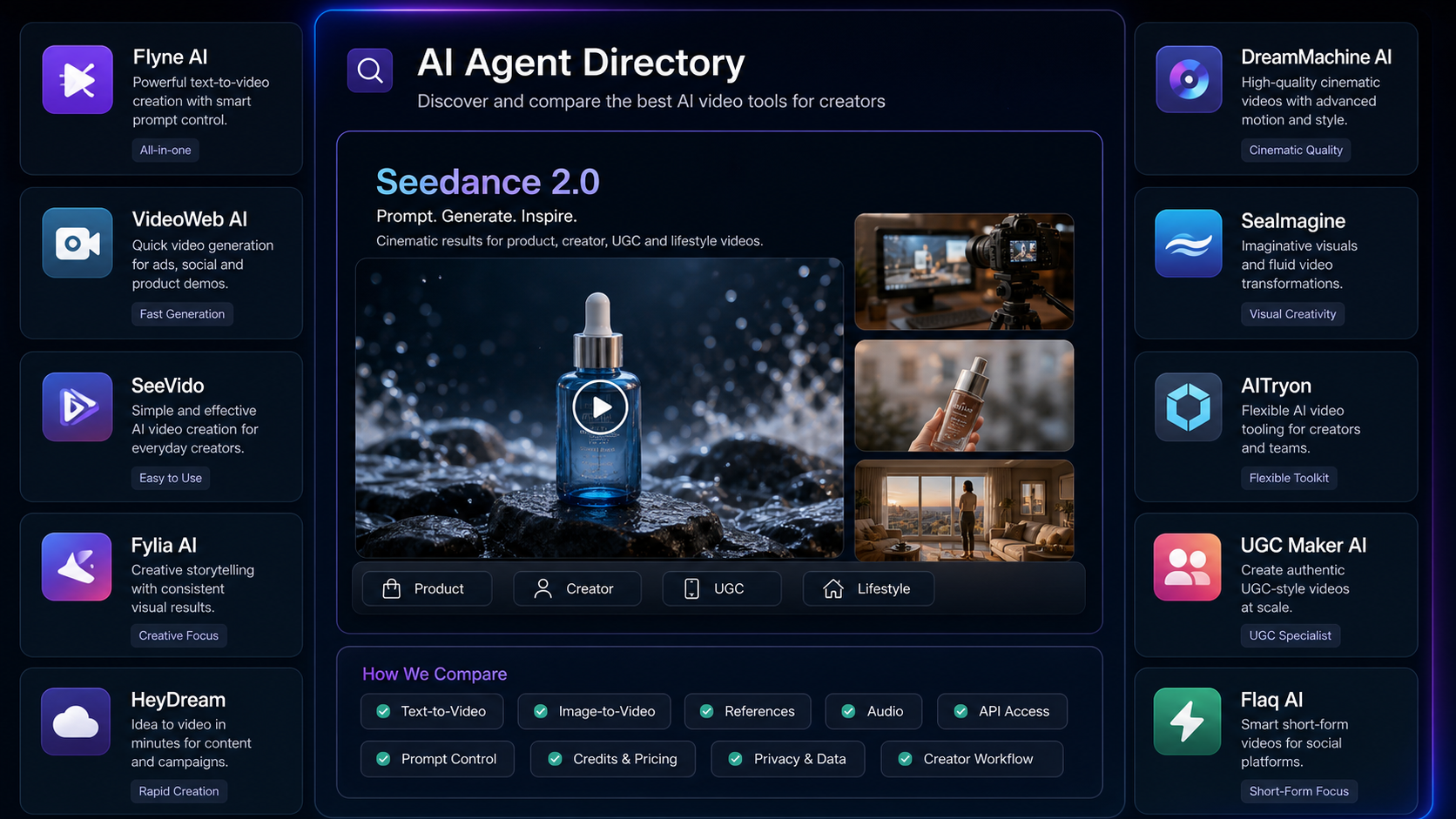
Finding the best AI video agent for Seedance 2.0 is less about picking one universal winner and more about matching the platform to your workflow. Creators, marketers, developers, UGC teams, short-video editors, and AI video users should compare browser tools, UGC ad platforms, multimodal video workspaces, and API providers before committing to one Seedance 2.0 workflow.
This review uses Agent Hunt as the discovery starting point, then compares Agent Hunt-listed tools and broader third-party Seedance 2.0 access pages. Because availability, pricing, credit cost, model version, duration, resolution, audio support, commercial rights, export settings, and API access can change quickly, treat this as a practical review framework rather than a fixed ranking.

Quick Summary: Best AI Video Agent Options for Seedance 2.0
The best AI video agent for Seedance 2.0 depends on whether you need creator-friendly prompting, UGC ads, product demos, image-to-video animation, cinematic experiments, or API access. Agent Hunt is useful for discovering AI video agents, while direct model pages are where you should confirm the current Seedance 2.0 model version, generation settings, credit rules, privacy options, and commercial usage terms.
For a simple browser workflow, start with tools such as Flyne AI, VideoWeb AI, SeeVido, or Fylia AI from Agent Hunt profiles, then open their Seedance 2.0 model pages. For API or infrastructure workflows, compare developer-focused options such as Flaq AI, fal.ai, and WaveSpeed AI.
Fast recommendations
- Use Agent Hunt when you want an AI video agent directory to discover tools before checking their official pages.
- Try Seedance 2.0 on Flyne AI if you want creator-friendly prompting, faceless videos, product clips, and image/video workflows.
- Try Seedance 2.0 on VideoWeb AI if you want model comparison, YouTube UGC prompts, and practical tutorial content.
- Try SeeVido Seedance 2.0 if you want quick browser-based text-to-video, image-to-video, and social clip testing.
- Try Fylia AI Seedance 2.0 if you want an all-in-one video/image generation workspace with multiple model options.
- Try UGC Maker AI for UGC ad hooks, product demos, creator reactions, proof points, and CTA variants.
- Try Flaq AI if you need developer-facing Seedance 2.0 API access.
The safest method is to test the same prompt across several agents and compare prompt following, motion consistency, audio behavior, ratio support, output quality, credit cost, privacy controls, export options, and usage rights.

How Agent Hunt Helps Users Discover AI Video Agents
Agent Hunt is useful because it turns AI tool discovery into a browsing and comparison step before you choose a production workflow. Instead of starting from a random search result, users can open AI agent profiles, scan what each tool is for, and then click through to the official platform page for current details.
For Seedance 2.0 users, Agent Hunt works best as the first layer of review. The profile pages help you identify candidates such as Flyne AI video agent, VideoWeb AI video agent, SeeVido on Agent Hunt, and Fylia AI on Agent Hunt. The official Seedance pages then become the second layer, where you verify model access, settings, pricing, and output rights.
This two-step workflow matters because AI video pages change quickly. An Agent Hunt profile can help you discover the tool, but the tool's own page should confirm whether Seedance 2.0 is currently available, which modes it supports, whether it includes image references or audio options, and what the export or commercial terms say.
A practical discovery flow looks like this:
- Start on Agent Hunt and search for video agents or AI video tools.
- Open relevant profiles, especially Flyne AI, VideoWeb AI, SeeVido, and Fylia AI.
- Visit the official Seedance 2.0 page for each platform.
- Check whether the current page supports text-to-video, image-to-video, multimodal references, audio, or API access.
- Run the same prompt across two to five platforms.
- Compare output quality, motion consistency, cost, speed, privacy, and export rights.
Agent Hunt should help you build a shortlist. The final decision should come from hands-on prompt testing.

Agent Hunt Profiles: Flyne AI, VideoWeb AI, SeeVido, and Fylia AI
The Agent Hunt-listed Seedance candidates are best compared by workflow, not by a generic score. Flyne AI, VideoWeb AI, SeeVido, and Fylia AI all fit creator-facing AI video discovery, but they emphasize different types of users and content.
| Agent Hunt profile | Best-fit review angle | Official Seedance or tool pages to check |
|---|---|---|
| Flyne AI on Agent Hunt | Creator-friendly Seedance 2.0 prompting, product clips, faceless videos, image-to-video, and broader AI video workflows | Flyne Seedance 2.0, Flyne AI video generator, Flyne text-to-video, Flyne image-to-video |
| VideoWeb AI on Agent Hunt | Model comparison, Seedance tutorials, YouTube UGC workflows, and practical short-video articles | VideoWeb Seedance 2.0, VideoWeb AI video model hub, Seedance tutorial |
| SeeVido on Agent Hunt | Quick image-to-video, browser-based AI video generation, social clips, and audio-aware workflows when current settings support them | SeeVido Seedance 2.0, SeeVido AI video generator, SeeVido image-to-video |
| Fylia AI on Agent Hunt | All-in-one video/image generation with Seedance 2.0 and other model options | Fylia Seedance 2.0 |
Flyne AI is a strong first test for creators who care about prompt guides, faceless content, product videos, and simple image/video workflows. VideoWeb AI is a strong research stop for users who want Seedance 2.0 tutorials, YouTube UGC workflows, and model comparison reading. SeeVido is useful for users who want a lighter browser workflow for quick AI video tests. Fylia AI is a reasonable option for users who want Seedance 2.0 inside a broader image/video creation environment.
None of these should be called the best for everyone. A UGC editor, developer, fashion seller, and cinematic creator will judge the same platform differently.

Broader Seedance 2.0 Access Pages Beyond Agent Hunt
Agent Hunt profiles are only part of the discovery map. If you are comparing AI video generator agents, you should also check direct Seedance 2.0 access pages across creator tools, UGC tools, fashion/product workflows, and developer APIs.
Here is a broader list worth reviewing:
| Platform | Direct page | Best-fit use case to test |
|---|---|---|
| Flyne AI | Flyne AI Seedance 2.0 Generator | Creator-friendly prompts, faceless videos, product clips, text-to-video, image-to-video |
| VideoWeb AI | VideoWeb Seedance 2.0 Generator | Model comparison, YouTube UGC workflows, tutorial-driven testing |
| SeeVido | SeeVido Seedance 2.0 Generator | Quick browser testing, image-to-video, social clips |
| Fylia AI | Fylia AI Seedance 2.0 Generator | All-in-one video/image generation and model exploration |
| HeyDream AI | HeyDream Seedance 2.0 Generator | Social creators comparing Seedance 2.0 with other short-form tools |
| DreamMachine AI | DreamMachine AI Seedance 2.0 Generator | Browser-based prompt testing and image-to-video workflows |
| SeaImagine AI | SeaImagine Seedance 2.0 Generator | UGC videos, product demos, and visual AI workflows |
| AITryon | AITryon Seedance 2.0 Generator | Fashion, product, virtual try-on, and UGC-style scenarios |
| UGC Maker AI | UGC Maker Seedance 2.0 Generator | Hooks, product demos, creator reactions, proof points, CTAs |
| Flaq AI | Flaq AI Seedance 2.0 API | Developers and product teams needing API access |
| Higgsfield | Higgsfield Seedance 2.0 Generator | Multimodal or cinematic workflows when current page settings support them |
| fal.ai | fal.ai Seedance 2.0 Models | API or infrastructure-focused model access |
| WaveSpeed AI | WaveSpeed AI Seedance 2.0 Models | API or infrastructure-focused model access |
| Seedance2.ai | Seedance2.ai Generator | Seedance-focused prompt testing with careful rights and pricing verification |
The important move is to separate discovery from confirmation. Agent Hunt can help you discover candidates; direct model/API pages should confirm current capabilities.

Evaluation Criteria: What to Check Before Choosing a Seedance 2.0 Platform
The best comparison framework is a checklist. Seedance 2.0 tools can look similar on the surface, but the practical differences show up in input modes, prompt control, export options, pricing clarity, and whether the tool fits creator or developer work.
Check these criteria before choosing:
- Text-to-video support: Can you generate directly from a prompt, and how much control does the prompt box allow?
- Image-to-video support: Can you upload a product image, start frame, end frame, or reference image?
- Multimodal references: Can the workflow use image, video, or audio references, and are those options clearly explained?
- Audio support: Does the platform support audio generation, sound guidance, voiceover, or only silent clips?
- UGC workflow: Does it help with hooks, product demos, creator reactions, proof points, CTAs, or ad variants?
- Prompt control: Can you set ratio, duration, resolution, style, camera, motion, and privacy settings?
- Model variety: Can you compare Seedance 2.0 with other video models on the same platform?
- Browser testing: Is it fast enough for creators to test multiple prompt variants without extra setup?
- API access: Is there a documented API for product teams or developers?
- Pricing and credits: Are credit cost, duration, resolution, and retry behavior clear?
- Privacy settings: Can you choose public/private outputs, manage uploaded references, and understand data handling?
- Creator support articles: Are there prompt guides, UGC workflows, and examples that help users improve results?
Do not rely only on a tool's landing-page promise. Open the current model page, generate a test clip, read the export terms, and compare results with the same prompt elsewhere.

Recommendations by Workflow: Which Seedance 2.0 Tool Should You Try First?
The most useful recommendation is workflow-specific. A creator who needs 9:16 product clips should not choose the same way as a developer integrating video generation into an app.
For creator-friendly browser testing: Start with Flyne AI Seedance 2.0, VideoWeb Seedance 2.0, SeeVido Seedance 2.0, or Fylia AI Seedance 2.0. These are good candidates when you want to paste a prompt, upload an image, adjust format settings, and review a clip in the browser.
For UGC ads and growth marketing: Try UGC Maker AI, VideoWeb AI, SeaImagine AI, and AITryon. These workflows are especially relevant for hooks, creator reactions, product demos, proof points, and ad-style CTAs.
For product, fashion, and virtual try-on workflows: Compare AITryon, Flyne AI, SeeVido, and DreamMachine AI. Use product images or start frames to test whether shape, fabric, color, and subject consistency hold up.
For cinematic and multimodal experiments: Review Higgsfield, DreamMachine AI, HeyDream AI, and Fylia AI. Confirm current audio, reference, and model options before assuming a specific capability.
For developers and product teams: Start with Flaq AI Seedance 2.0 Text-to-Video API, then compare fal.ai and WaveSpeed AI if you need model-level or scalable generation infrastructure. Evaluate documentation, latency expectations, retries, webhook support, file handling, cost, and terms.
For a Seedance-focused test page: Seedance2.ai may be useful as a focused testing page, but verify ownership, terms, pricing, commercial usage rights, and export details carefully before using it for client or paid work.
This is why the same prompt test matters. A platform that is excellent for product demos may not be the best fit for API integration, and a developer API may not be the easiest tool for a short-video editor.

Reusable Test Prompt Formula and Benchmark Prompts
Use one reusable prompt formula across platforms so the comparison is fair. If you change the subject, camera, duration, or audio direction for each tool, you are no longer comparing platform behavior.
Copy this formula:
Create a [duration] Seedance 2.0 AI video for [use case]. Scene: [subject] in [setting]. Action: [one clear movement or event]. Camera: [slow push-in / handheld / orbit / close-up / tracking shot / overhead]. Lighting: [natural / cinematic / studio / neon / warm / dramatic]. Mood: [UGC-style / luxury / emotional / playful / cinematic / educational]. Audio: [ambient sound / voiceover / product sound / subtle music / no dialogue]. Format: [9:16 / 16:9 / 1:1]. Keep the subject consistent, motion smooth, scene readable, and composition clean. Test the same prompt across several agents and compare prompt following, motion, audio, consistency, speed, cost, and usability.
Use these benchmark prompts:
- A premium skincare bottle on a marble bathroom counter, soft morning light, water droplets on the bottle, camera slowly pushes in, gentle steam in the background, luxury commercial mood, subtle ambient music, 9:16 vertical video.
- A creator holding a portable blender in a bright kitchen, fruit pieces dropping into the cup, quick natural handheld camera movement, cheerful UGC style, realistic lighting, short social ad energy.
- A futuristic sneaker rotating on a dark studio platform, blue rim lighting, slow orbit camera, reflective floor, clean product commercial style, subtle bass pulse audio.
- A cozy cafe table with hot coffee, steam rising, sunlight moving across the cup, slow cinematic pan, warm lifestyle mood, soft cafe ambience.
- A fashion portrait where the model gently turns toward the camera, fabric moves naturally, soft studio lighting, elegant editorial style, preserve face and outfit consistency.
- A travel memory shot of a person standing by a mountain lake, hair and jacket moving slightly in the wind, slow push-in camera, emotional cinematic color, soft ambient sound.
- A desk transformation clip where a messy workspace becomes clean and organized, overhead camera, quick satisfying cuts, natural daylight, calm productivity mood.
- A pet grooming UGC clip where a pet owner gently brushes a calm dog on the living room floor, warm home lighting, realistic handheld camera, friendly social ad mood, avoid medical claims.
- A perfume bottle with pale pink liquid, golden cap, floating petals, slow camera tilt, luxury product ad style, soft sparkle sound, no readable brand text.
- A product tutorial for a portable LED lamp, creator turns it on beside a book, adjusts brightness, moves it from desk to bedside table, warm lighting, cozy nighttime mood.
- A faceless study video with hands opening a notebook, writing a to-do list, placing coffee beside a laptop, and turning on a desk lamp, overhead camera, calm music.
- A YouTube Shorts UGC video for a wireless microphone, creator clips the mic onto their shirt, records a quick before/after audio moment, casual desk setup, natural camera movement.
After each generation, score privately against your own needs. Did the subject stay consistent? Did the motion make sense? Did the camera follow the prompt? Did audio behave as expected? Was the ratio correct? Was the cost clear enough to repeat the workflow?

Cautions: Availability, Pricing, Rights, and Brand Safety
Seedance 2.0 platform details can change quickly, so avoid making permanent workflow decisions from a single review. Before using any platform for client work, ads, product pages, or commercial content, check the current page and terms.
Review these items before publishing:
- Availability: Is Seedance 2.0 currently available on the platform?
- Model version: Does the page clearly identify the model or variant being used?
- Pricing and credit cost: Are credits, retry behavior, duration, resolution, and failure handling clear?
- Output settings: Can you control ratio, duration, resolution, privacy, and export format?
- Audio support: Does audio generation or audio guidance actually exist on the current page?
- Commercial rights: Are commercial usage rights and restrictions clear?
- Privacy: What happens to uploaded product images, people references, or client assets?
- API availability: Is there a documented API, or only a browser UI?
- Ad claims: Does the generated clip imply results, health claims, savings, or testimonials you cannot prove?
- Copyright and likeness: Avoid copyrighted characters, protected IP scenes, celebrity likenesses, and brand assets you do not have rights to use.
The safest review habit is to save your prompt, settings, platform name, date, output file, and rights notes for each test. That gives your team a traceable basis for choosing a workflow.

FAQ: Agent Hunt and Seedance 2.0 AI Video Agents
What is the best AI video agent for Seedance 2.0?
There is no universal best AI video agent for every Seedance 2.0 use case. Flyne AI may fit creator-friendly prompts, VideoWeb AI may fit model comparison and UGC education, SeeVido may fit quick browser testing, UGC Maker AI may fit ad workflows, and Flaq AI may fit API access.
Is Agent Hunt itself a Seedance 2.0 generator?
Agent Hunt is best treated as a discovery and directory layer. Use it to find AI video agents, then visit each official Seedance 2.0 model page to confirm current generation options, pricing, rights, and settings.
Which platform should developers test first?
Developers should start with documented API pages such as Flaq AI, then compare infrastructure-focused options like fal.ai and WaveSpeed AI. Check docs, authentication, file handling, latency, retries, and commercial terms before building.
Which tools are better for UGC ads?
UGC Maker AI, VideoWeb AI, SeaImagine AI, AITryon, and Flyne AI are worth testing for UGC-style prompts. Compare hooks, creator reactions, proof moments, product visibility, CTA support, and vertical 9:16 output quality.
Should I test the same prompt on every platform?
Yes. A shared benchmark prompt makes the comparison fair. Use the same duration, ratio, subject, camera, lighting, and audio direction, then compare prompt following, motion consistency, cost, speed, privacy, and export rights.
Can I use Seedance 2.0 outputs commercially?
Possibly, but it depends on the platform, plan, rights terms, uploaded assets, and final use case. Always check current commercial usage rules and avoid copyrighted characters, celebrity likenesses, protected IP, and misleading ad claims.

Conclusion: Use Agent Hunt to Build a Shortlist, Then Test Directly
The best AI video tools on Agent Hunt are starting points, not final answers. Use Agent Hunt AI video tools to discover platforms, then check official Seedance 2.0 pages for current settings, rights, pricing, model details, and API availability.
For most creators, the smartest next step is to pick three platforms, run the same benchmark prompt, and compare output quality and workflow friction. For developers, start with API-focused providers and validate documentation before building. For UGC teams, test hook, demo, proof, and CTA prompts across several creator-friendly tools before choosing a production workflow.
Recommended webpages
- Flyne AI on Agent Hunt
- VideoWeb AI on Agent Hunt
- SeeVido on Agent Hunt
- Fylia AI on Agent Hunt
- Flyne AI Seedance 2.0 Generator
- VideoWeb Seedance 2.0 Generator
- SeeVido Seedance 2.0 Generator
- Fylia AI Seedance 2.0 Generator
- HeyDream Seedance 2.0 Generator
- DreamMachine AI Seedance 2.0 Generator
- SeaImagine Seedance 2.0 Generator
- AITryon Seedance 2.0 Generator
- UGC Maker Seedance 2.0 Generator
- Flaq AI Seedance 2.0 Text-to-Video API
- Higgsfield Seedance 2.0 Generator
- fal.ai Seedance 2.0 Models
- WaveSpeed AI Seedance 2.0 Models
- Seedance2.ai Seedance 2.0 Generator
People also read
- Seedance 2.0 Video Generation Guide: How to Get Controlled, Consistent Results
- How to Create Faceless Videos with Seedance 2.0
- Seedance 2.0 Video Generation Guide: Tutorial + Prompts
- YouTube UGC Video Generation with Seedance 2.0: VideoWeb AI Prompt Guide
- Best 10+ Seedance 2.0 Prompts: SeeVido AI Video Generation Guide
- SeeVido AI Video Generator Review: Image-to-Video, Text-to-Video, and Audio Workflows
- Seedance 2.0 AI Video Generator Prompt Guide: 14 Prompts for DreamMachine AI
- Seedance 2.0 Video Generation Guide: How to Create Better AI Videos
- Seedance 2.0 AI Video Generator: UGC Prompt Guide for SeaImagine AI
- How to Use Seedance 2.0 on SeaImagine AI to Make Better Short Videos
- Seedance 2.0 Prompt Tips for More Human, Realistic AI Video
- Create TikTok Video with Seedance 2.0: A Practical AI Workflow
- Seedance 2.0 for UGC Videos: Real Creator Scenarios, Better Prompts, and a Smarter Workflow
- Seedance 2.0 Video Generation Guide for Product UGC & Ads
- UGC Prompts for Seedance 2: How to Create Native AI Video Ads
- Seedance 2.0 API Guide: How to Use Flaq AI for Faster Text-to-Video Workflows